1
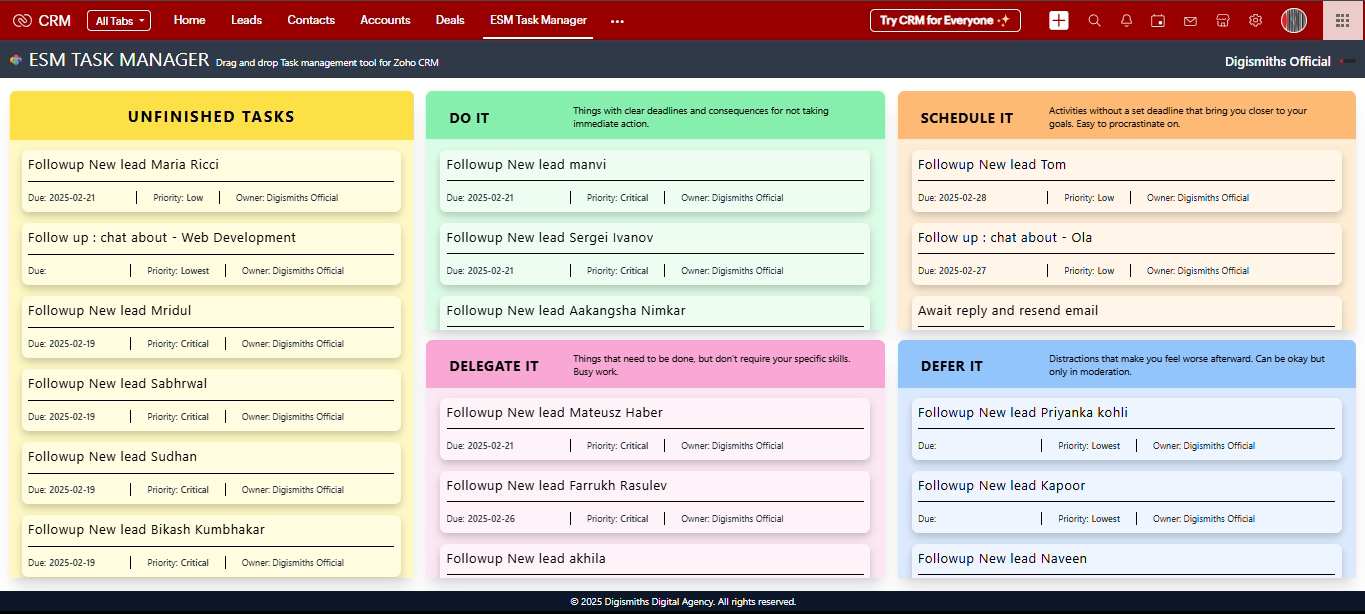
Read and check the box to agree to the Terms of Service and Authorize the extension to access and process your data by checking the respective box.
2
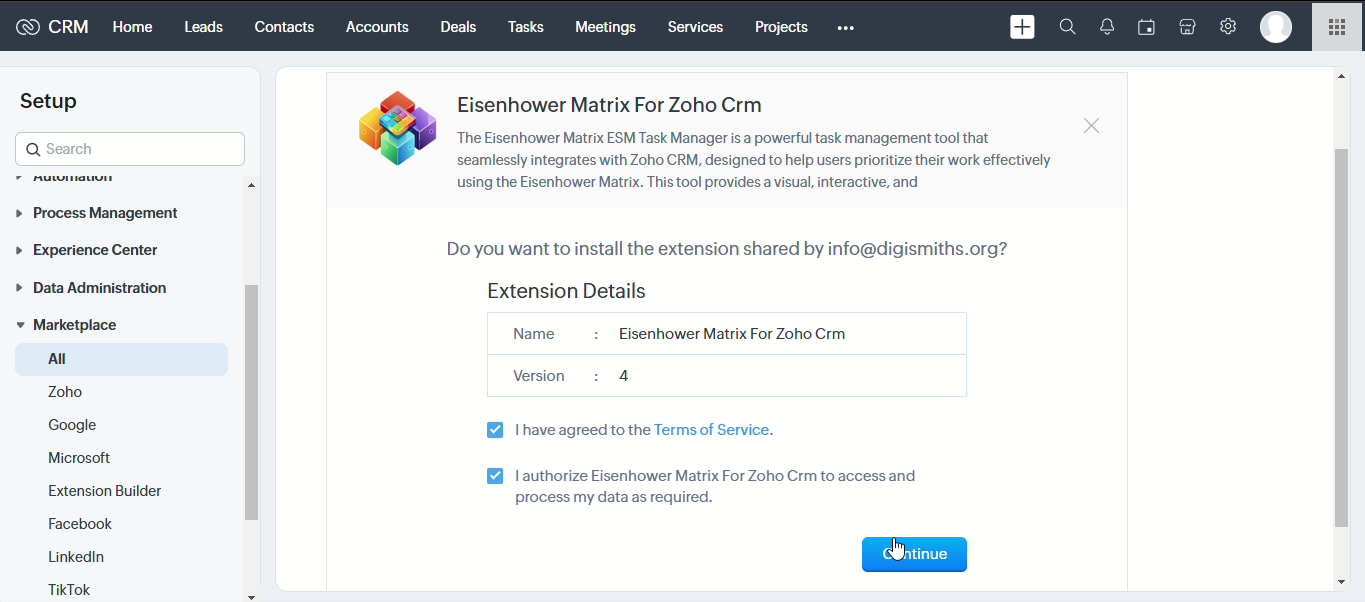
Select Install for all users to ensure the tool is accessible to everyone, enabling effective task sharing and collaboration.
3
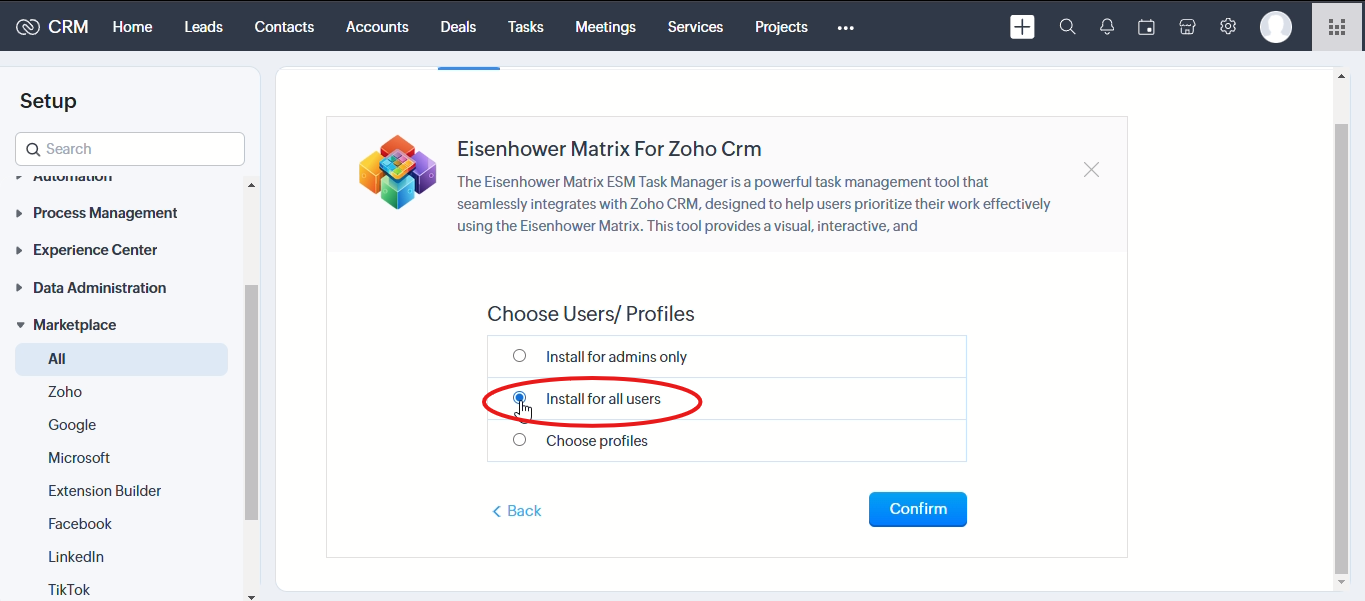
Go to ESM Task Manager in your navbar & select it to open.
4
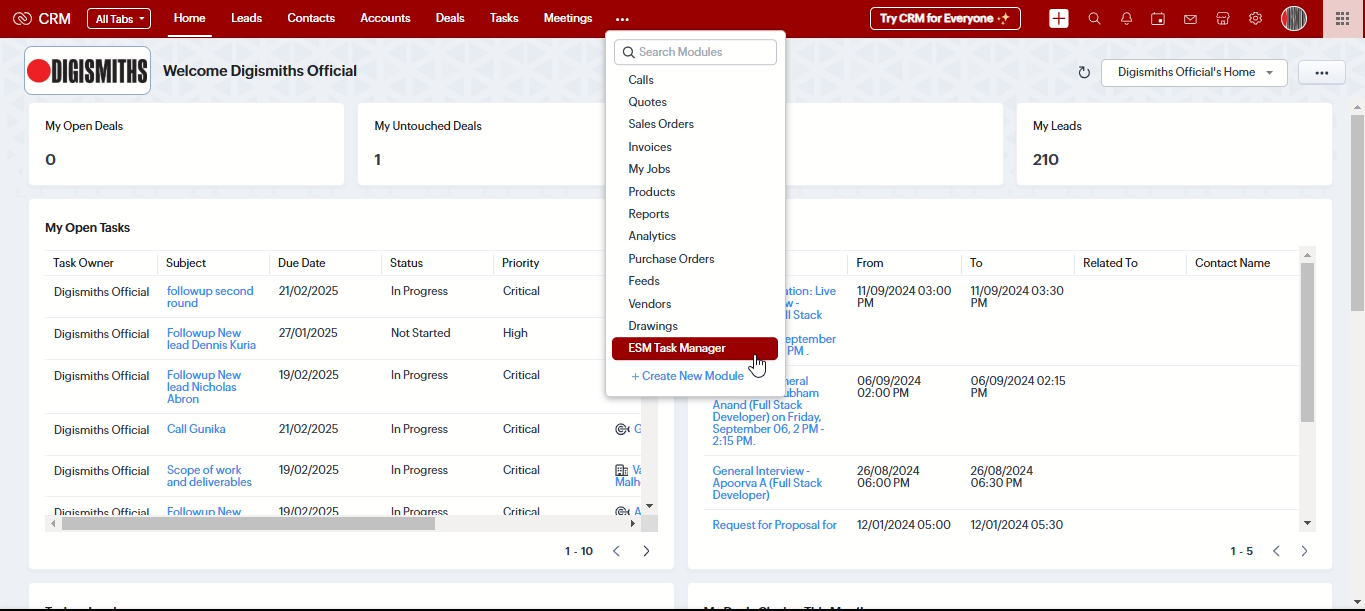
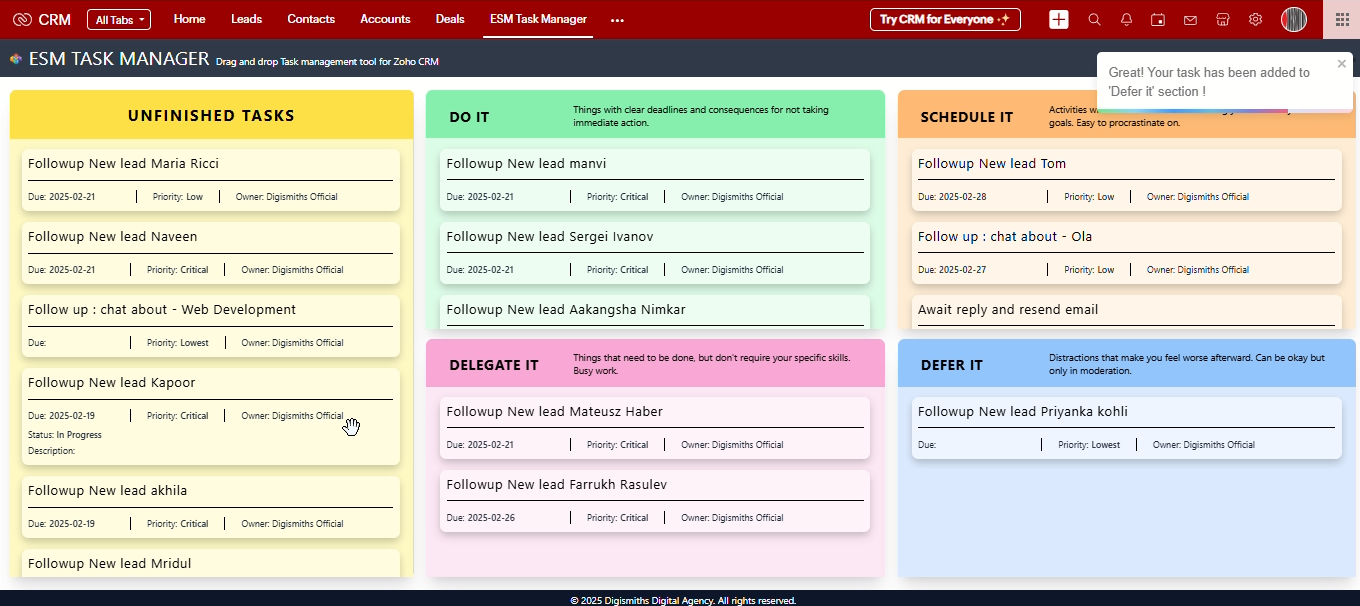
Dragging Tasks – Users can drag tasks into Do it, Delegate it, Schedule it and in Defer it matrix of the ESM Task Manager.
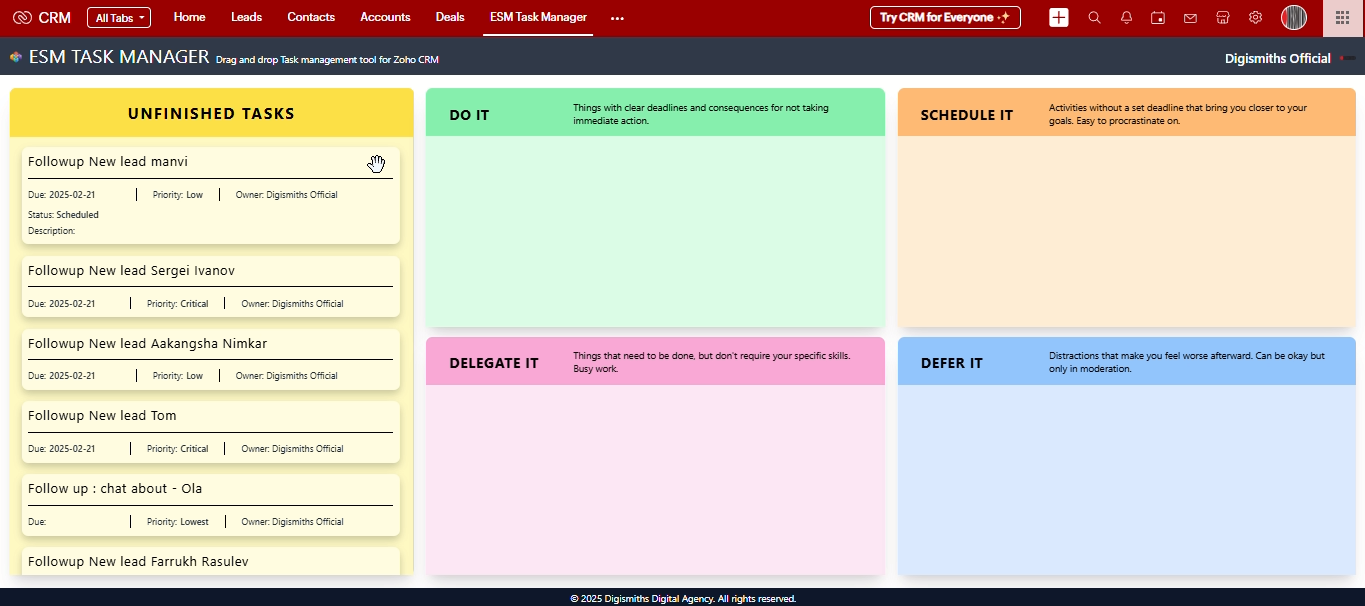
5
Dragging to "Do It" – Task moved to "Do It" means it's urgent and important.
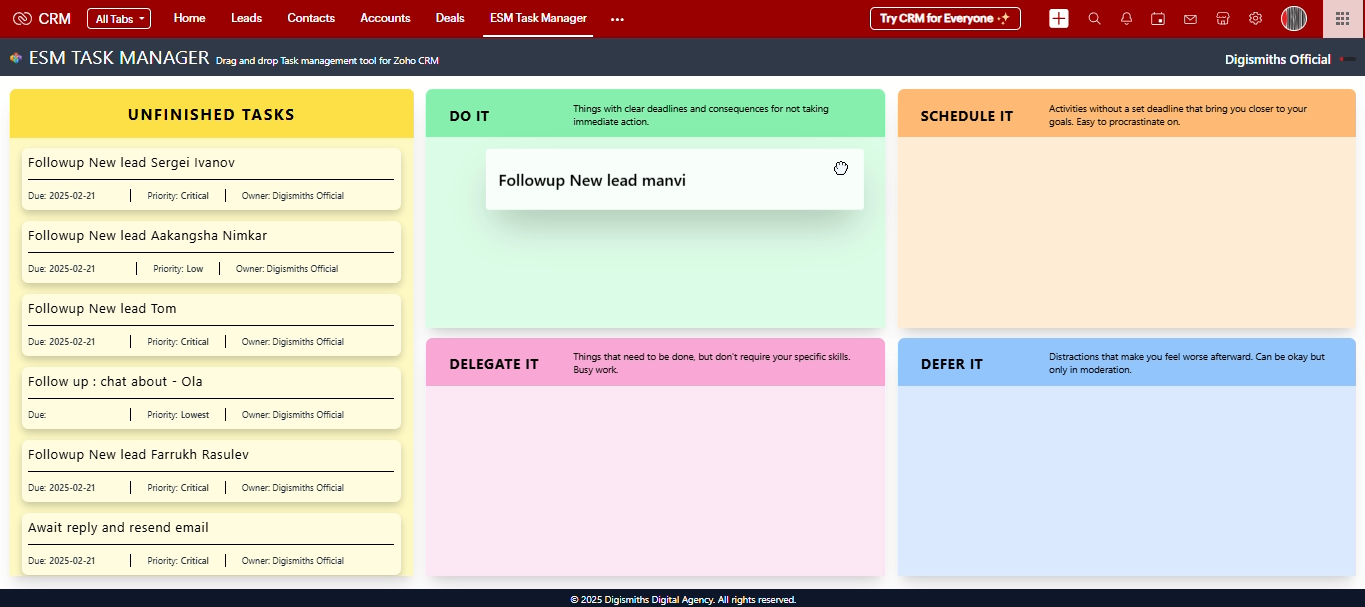
6
Dropping in "Do It" – Priority → Critical, Status → In Progress, Due Date → Today.
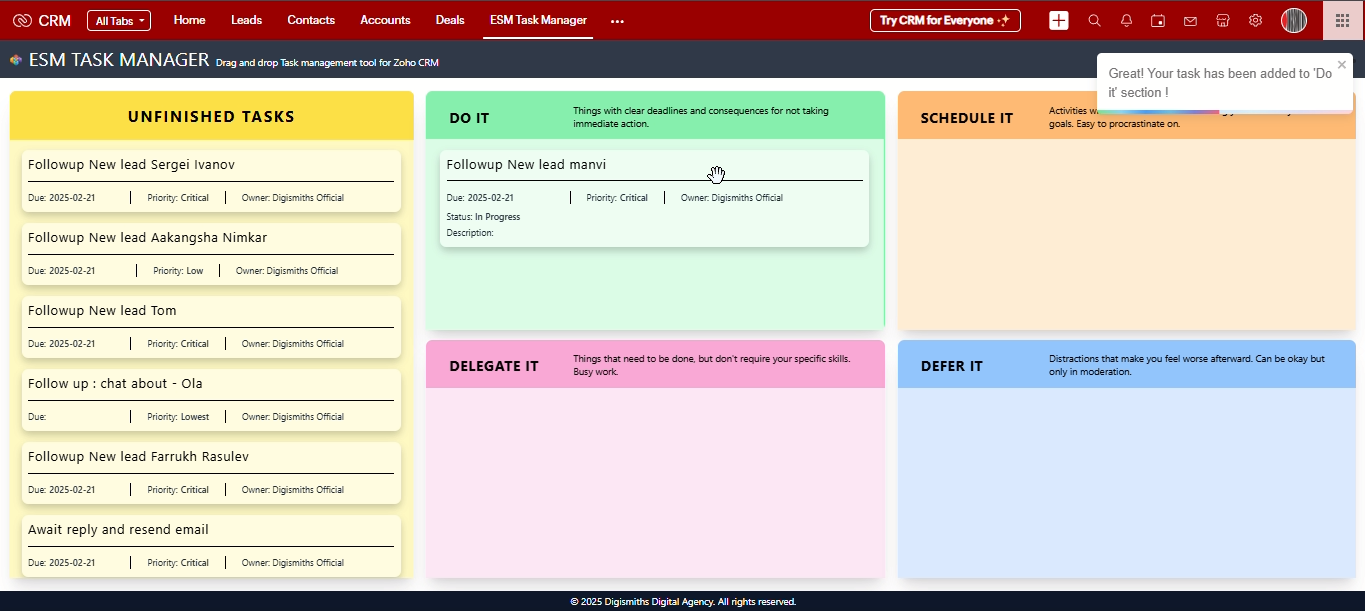
7
Dragging to "Schedule" – Task is important but not urgent. Scheduled Task Behavior – Status → Scheduled, Priority → Low.
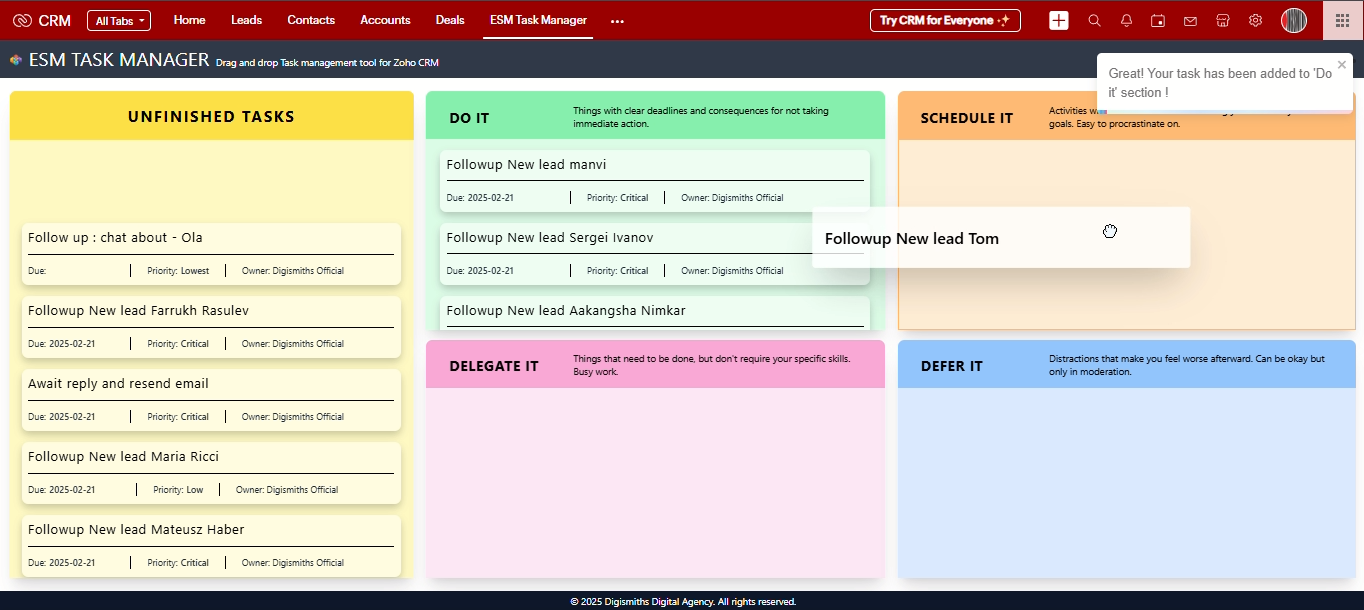
8
Dropping in "Schedule" – A pop-up appears to change the due date.
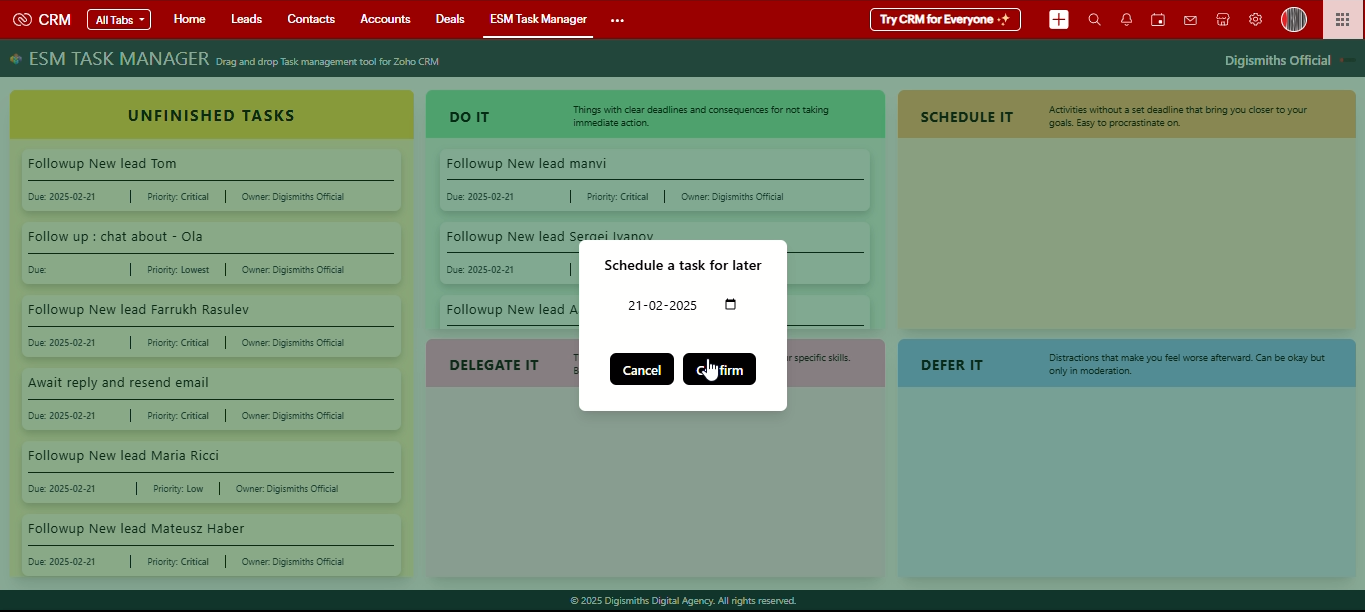
9
Dragging to "Delegate" – Assign task to another user only Admin can delegate tasks.
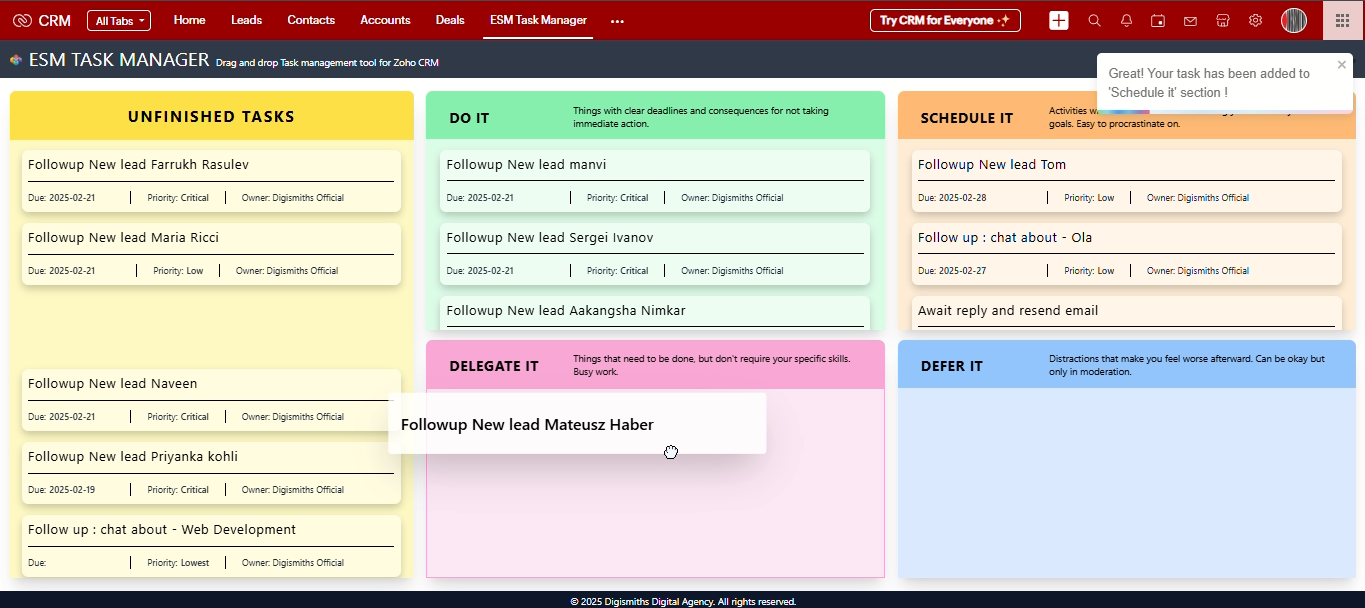
10
Dropping in "Delegate" – A pop-up appears to change the user, due date, and add notes. Clicking Delegate assigns the task.
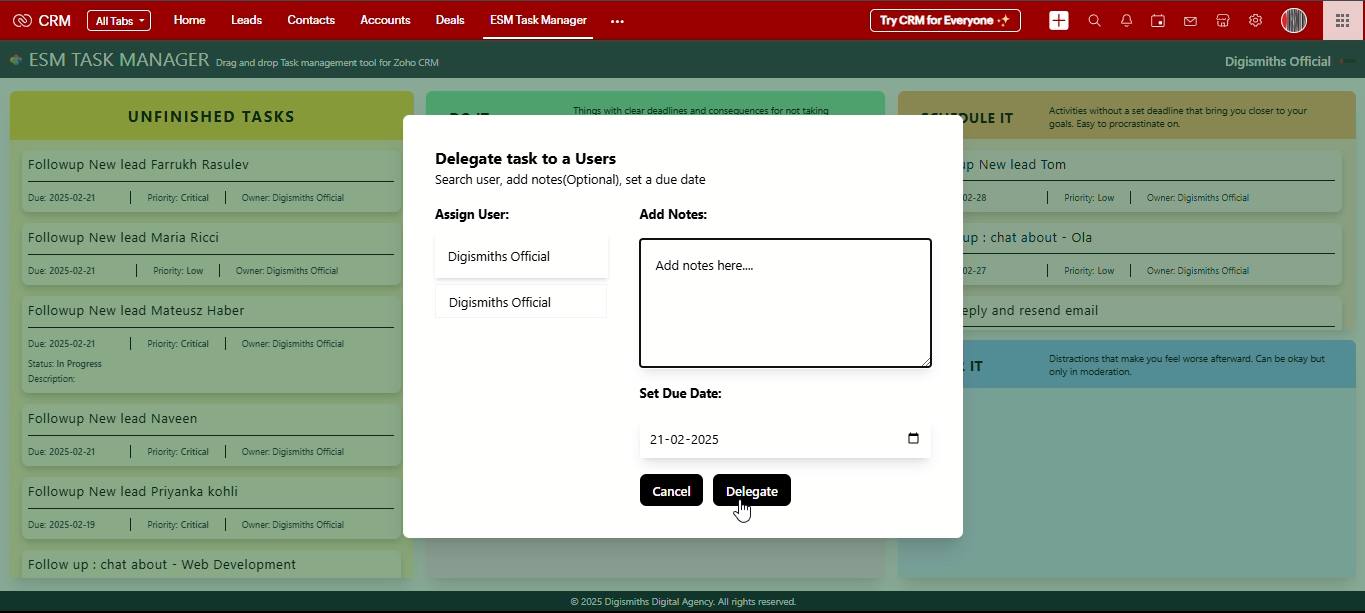
11
Dragging to "Defer It" – Task is neither urgent nor important.
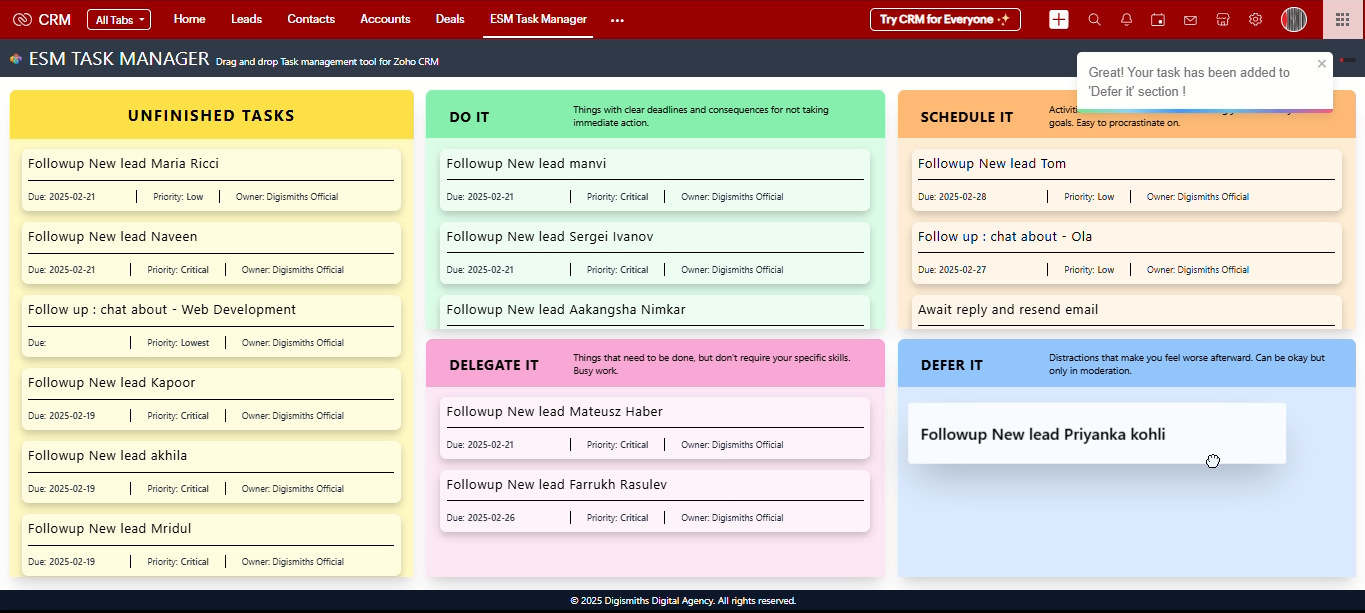
12
Dropping in "Defer It" – Status → Deferred, Priority → Lowest, Due Date → Null.
13
And that’s how ALL your tasks will look!